
How to Install Pimped Beta
After you’ve been accepted to the beta program (signup here if you haven’t already), you will receive an invitation from Apple’s Test Flight program.
Follow the instructions below to install:
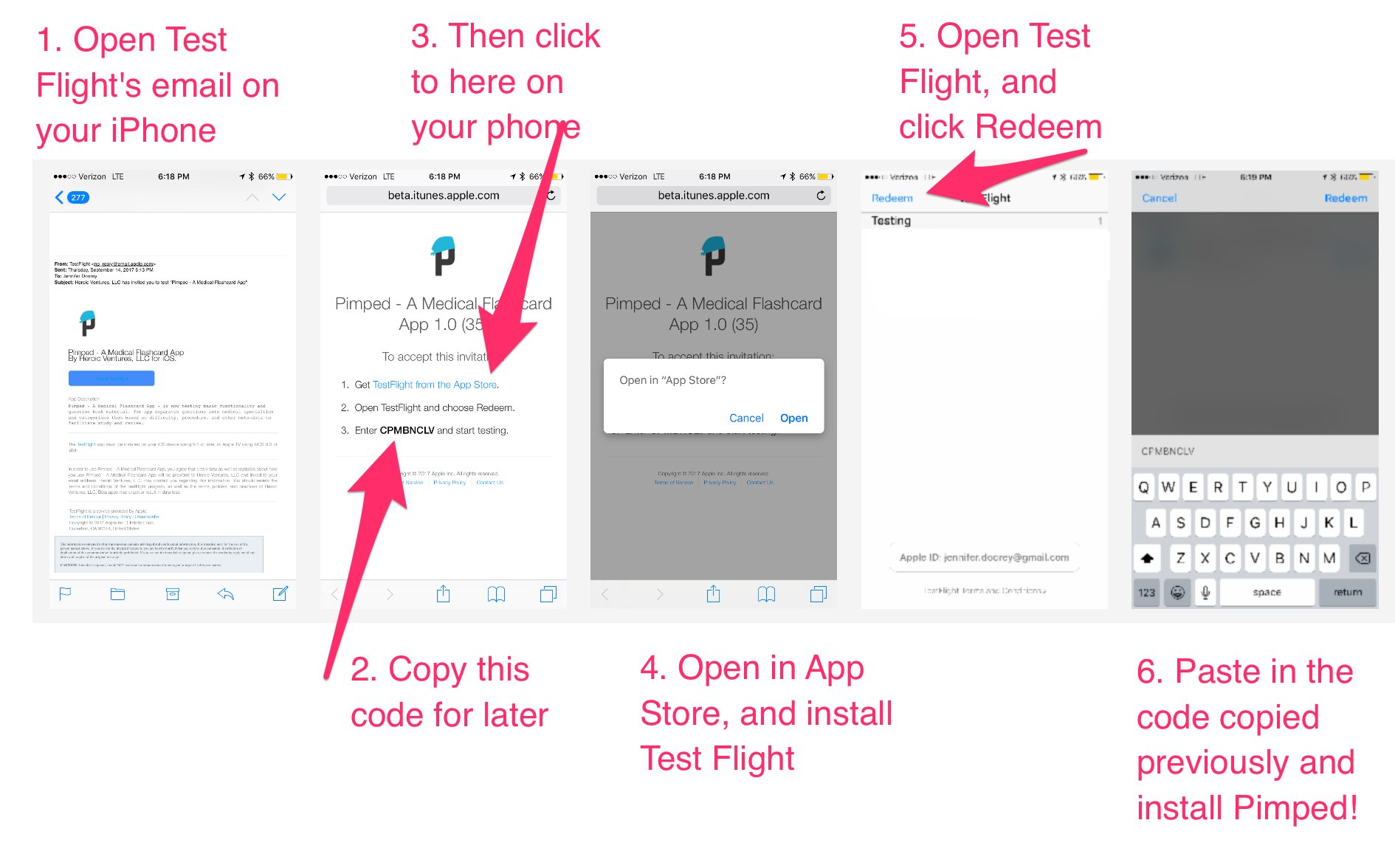
- Open Test Flight’s email on your iPhone
- Copy the invitation code for later
- Then click “Get TestFlight from the App Store”
- Open in App Store and install TestFlight (this is a FREE app, but you will need an updated apple ID with CC on file — as with any free download from Apple)
- Open Test Flight and click “Redeem”
- Paste the code you copied in step 2 –You should now be able to download Pimped!